
By Lee Garvey
For businesses that need to send physical mail regularly, the bottleneck is rarely the content — it’s the process. Printing, folding, stuffing envelopes, applying postage, and making post office runs eat up time that most teams don’t have. An email to mail service eliminates all of that by letting you send physical letters directly from your email inbox.
Launch 500 postcards / flyers / letters in ~5 minutes. We print, address, and mail for you.
Upload your design and mailing list, pay, done.
No post office run. No subscriptions.
Next-business-day mailing for most products.
What Is an Email to Mail Service?
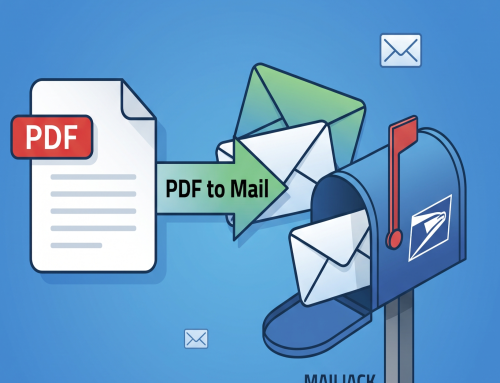
An email to mail service converts email attachments into printed, physical mail delivered through the USPS — automatically, and without any special software. You compose an email, attach your document, send it to a designated address, and Click2Mail handles the printing, preparation, and mailing the next business day. The cost is just pennies more than the price of postage alone.
It’s one of the simplest ways to print and mail letters online without changing how your team already works. If your application or workflow can send email, it can send physical mail.
Two Format Options: Quickletters and Mailbox Docs
Click2Mail’s Email-to-Mail service offers two distinct formats depending on your needs.
Quickletters
A Quickletter is a straightforward black and white letter sent to a single physical address via First Class Mail. It’s the fastest way to get a document into someone’s hands with minimal setup — ideal for one-off communications that need a physical record.
Mailbox Docs
Mailbox Docs offer significantly more flexibility. With this format you can:
- Print in full color or on colored paper
- Choose between multiple addressing options
- Select First Class, Priority Mail, or Certified Mail delivery
- Set up multiple mailboxes, each configured differently for different document types
For example, you might set up one mailbox for invoices sent via First Class and another for legal notices sent via Certified Mail — each with its own settings, triggered simply by which email address you send to.
Compatible File Types
One of the practical advantages of Email-to-Mail is how broadly it accepts documents. Compatible formats include:
- Microsoft Word (.doc, .docx)
- Microsoft PowerPoint (.ppt, .pptx)
- Adobe PDF
- Google Docs and Google Sheets exports
- JPEG and PNG image files
- Rich Text Format (.rtf)
Most documents your team already produces will work without any reformatting. Ideal resolution for images is 300 DPI, with a minimum of 150 DPI to avoid print quality issues. Standard 8.5 x 11 page layout is recommended for best results.
Key Use Cases
Following Up After Meetings or Calls
A physical follow-up letter after a sales call or client meeting carries more weight than another email in an already crowded inbox. As Click2Mail CEO Lee Garvey notes, “the physicality of the reminder is important — email it’s gone, a piece of mail they’ll keep that around.” Email-to-Mail makes it practical to send that follow-up in seconds without leaving your email client.
Sending Invoices and Statements
For clients who are slow to respond to digital invoices, a mailed invoice creates a tangible paper trail and a harder-to-ignore reminder. Email-to-Mail is particularly well suited to this because it fits naturally into accounting workflows — your billing software sends the email, Click2Mail sends the letter.
Reaching Recipients Who Don’t Engage Digitally
Some customers, patients, or contacts simply don’t respond to email reliably. Physical mail reaches them when digital communication doesn’t. The USPS reports that physical mail has significantly higher open rates than email for many demographics, making it a valuable fallback channel.
Creating Hard-Copy Records
For legal, compliance, or audit purposes, a physical mailed document provides a record that an email thread cannot replicate. Pairing Email-to-Mail with Certified Mail delivery adds proof of mailing and delivery confirmation to that record.
How to Set It Up
Getting started with Click2Mail’s Email-to-Mail service requires just a few steps:
- Sign into your Click2Mail account or register for a new one
- Navigate to Email-to-Mail from the My Account page
- Add your approved sender email addresses — only registered addresses will be processed
- For Mailbox Docs, configure your mailbox settings including format, mail class, and color options
- Send your first email with an attachment to the designated Click2Mail address
The approved senders list is an important security feature — it ensures that only authorized email addresses can trigger mailings from your account. You can add or remove approved senders at any time.
Who It’s Best For
Email-to-Mail works particularly well for small teams, solo practitioners, and businesses whose staff already spend most of their day in email. It also serves as a practical alternative to a full API integration for companies that want automated physical mail without developer resources. If your software can send email, it can be configured to trigger postal mail with no coding required — a point the USPS itself highlights as part of its guidance on business mail automation options.
For organizations with higher volume needs or more complex workflows, it can also serve as a bridge while a full direct mail automation setup is being built out.
Start Sending Physical Mail from Your Inbox
Email-to-Mail turns one of the most familiar tools in business — email — into a complete print and mail solution. There’s no new software to learn, no equipment to maintain, and no trips to the post office. Set it up once and your physical mail sends itself. Visit Click2Mail.com to get started.

About Lee
Lee Garvey is the founder of Click2Mail, a pioneering platform in cloud-based direct mail automation since 2003. Under his leadership, Click2Mail has become a trusted USPS partner, helping thousands of businesses streamline their mailing processes and effectively bridge the gap between digital and physical marketing.